Your Agent’s Memory Needs a Retention Policy
An estate that only grows is an estate that gets worse. Expiry in Memanto is a reversible, stamped, auditable state change driven by a policy you write once: a per-type retention table plus named rules, first match wins. Here is the full grammar, the three presets, and the sweep that makes it happen.

Six months into running an agent with persistent memory, the problem is never that the store is full. Disk is cheap. The problem is that a note your agent wrote in March about a migration that finished in April is still sitting in the estate with the same weight as a decision from last Tuesday, and recall has no way to know which one you meant.
That is what a retention policy fixes. Not storage cost. Precision at month six. This post is the complete guide to expiry policies in Memanto: what the two halves of a policy do, the exact matching grammar, the three presets you can start from, and why nothing expires until you run a sweep.
Expiry is a state, not a delete
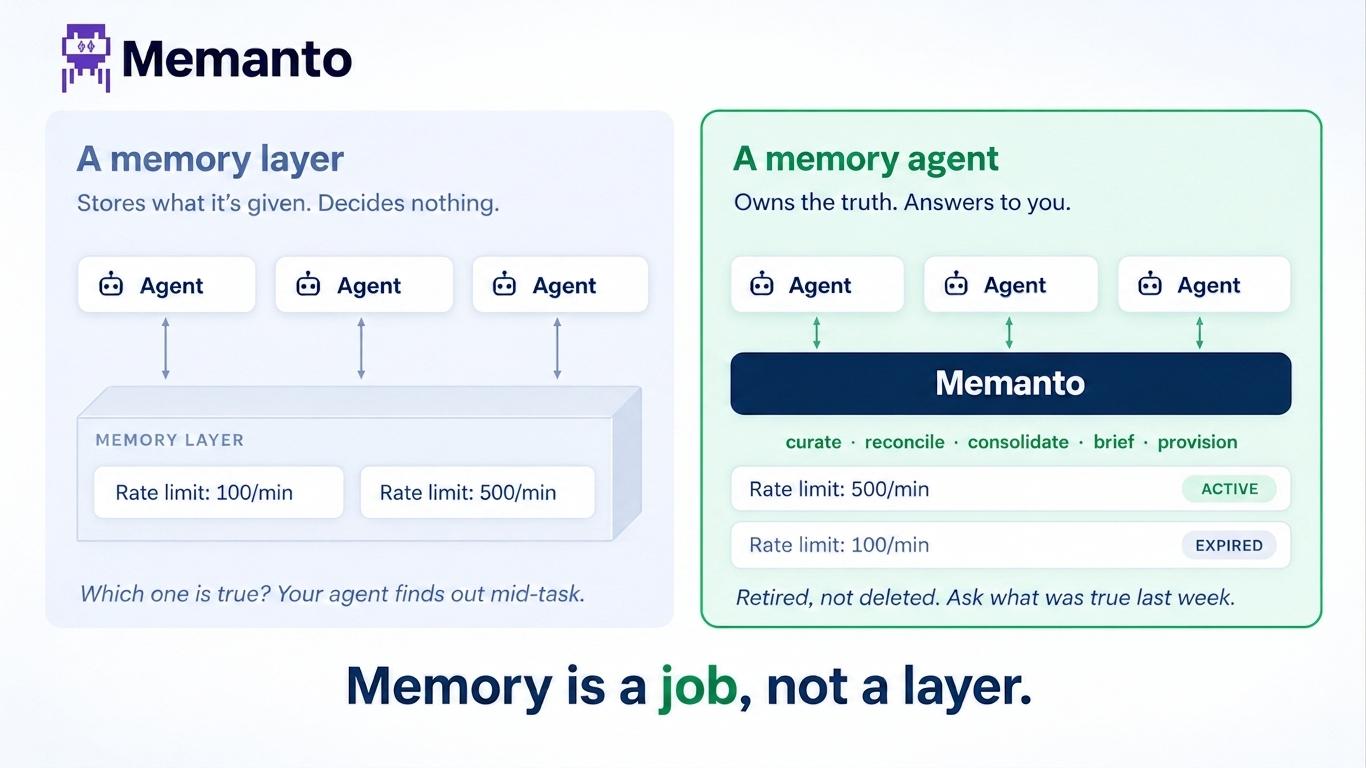
The first thing to understand is that expiring a memory in Memanto does not remove it. A memory is active or expired, and nothing else. When it expires, three fields are stamped onto the record: status, expired_at, and expired_by. That last one holds the name of the rule that did it.
Because the stamp is durable rather than recomputed on every read, an expired memory can tell you exactly when it aged out and which rule was responsible. It still shows up in recall, clearly labelled, and one command puts it back.
| Act | Command | Reversible | What it does |
|---|---|---|---|
| Expire | memanto policy apply or memanto memory expire <id> | Yes | Stamps status, expired_at, expired_by. Content untouched. |
| Restore | memanto memory restore <id> | n/a | Returns the memory to active. |
| Purge | memanto policy purge | No | Permanently deletes memories that have been expired longer than the purge window. |
Only the third one is destructive, it is off by default, and it will refuse to run unless your policy explicitly sets a purge window. Everything else in the lifecycle is undoable.
You can also expire a single memory by hand with your own reason, which is the fastest way to retire something that is simply wrong without losing the record that you once believed it.
bashmemanto memory expire mem-123 --reason superseded-by-rewrite
memanto memory restore mem-123
The --reason value lands in expired_by, so it is worth writing something you will understand in six months. It defaults to manual, and it is bounded to [A-Za-z0-9._-] and 64 characters, because the same token is used as a filter, so use hyphens rather than spaces.
Nothing expires on its own
“A policy is a description of what should be expired. A sweep is the thing that expires it. Writing the policy and never running the sweep leaves your estate exactly as it was.
This is the single most common misunderstanding, so it is worth stating plainly. Setting a policy does not change any memory. Expiry happens only when apply_policies runs, which means either you ran memanto policy apply, or the nightly job did it for you. That design is deliberate: it is what makes expired_at a fact with a timestamp instead of a value derived on every read, and it is why a memory can name the rule that retired it.
The practical consequence is that adopting a preset is safe. It writes a file. Nothing ages out until you sweep.
The two halves of a policy
Policies live at ~/.memanto/policies/<agent>.yaml, one per agent, and are meant to be hand-edited. A policy has a retention table for broad strokes and named rules for everything sharper.
yamlversion: 1

retention:
  context: 7d          # current-state scratch, rots fastest
  event: 30d
  observation: 60d
  preference: never    # durable user truths do not age out

rules:
  - name: pinned
    match:
      tags: [pinned]
    expire_after: never          # an explicit pin beats the table

  - name: low-confidence-guesses
    match:
      provenance: [inferred]
      confidence_below: 0.5
    expire_after: 14d

purge_expired_after: never       # optional hard delete, off by default
Rules are evaluated in order and the first match wins, short-circuiting the retention table entirely. That is what makes the pinned rule work: a memory tagged pinned matches the first rule, that rule says never, and evaluation stops before the retention table ever gets a look. A rule can pin a memory active just as easily as it can retire one.
If no rule matches, the retention table is consulted by the memory's type. If the type is not in the table, or its value is never, the memory does not expire.
The duration grammar
Durations are a number followed by a unit, or the literal string never.
| Suffix | Unit | Example |
|---|---|---|
m | minutes | 90m |
h | hours | 12h |
d | days | 30d |
w | weeks | 2w |
mo | months, defined as 30 days | 3mo |
y | years, defined as 365 days | 1y |
never | no expiry | never |
Two things that catch people out. m is minutes, not months: months are mo, and the parser checks mo before the single-letter units precisely so 3mo is never read as 3m. And a month is a flat 30 days by definition, because calendar months have no fixed length and an expiry window does not need one.
Durations are validated when the policy is loaded, not when the sweep runs. A typo like expire_after: 30dd fails immediately with a message telling you the valid units, rather than silently doing nothing until the night it was supposed to matter. The same is true of the retention table: every key has to be one of the 13 real memory types, and every rule name has to be unique, because the name is what ends up in the audit trail.
What a rule can match on
| Field | Semantics |
|---|---|
type | A list of memory types. Matches if the memory's type is in the list. |
tags | A list of tags. Matches if the memory has any of them. |
source | A list of sources. Matches if the memory's source is in the list. |
provenance | A list of provenance values: explicit_statement, inferred, observed, corrected, validated, imported. |
confidence_below | A float. Matches when stored confidence is strictly below it. |
Every field you set must match, so a match block is an AND. An empty match block matches everything, which is how you write a catch-all rule. Two details in the matcher are worth knowing because they are both conservative on purpose: a memory whose confidence is missing or unparseable does not match confidence_below, since unknown confidence is not evidence of low confidence, and tags is an OR within the list while remaining an AND against the other fields.
What "age" is measured from
A memory's age is measured from updated_at when it exists, falling back to created_at. Editing a memory is evidence that it is still live, so an edit resets its expiry clock. If neither timestamp parses, the memory has no defensible age and is never expired.
A sweep also never touches a memory that is already expired. It does not re-stamp it, and it does not revive it. Restoring is always an explicit act.
Start from a preset
Three presets ship in the box. All three share the same spine: preference, instruction, and relationship are durable user truths and never expire on a timer in any of them, context is scratch and rots fastest, and anything tagged pinned is exempt.
bashmemanto policy list-preset| Preset | Retention | Extra rules | Purge |
|---|---|---|---|
| conservative | context 30d, event 90d, error 90d | pinned only | never |
| balanced | context 7d, event 30d, error 30d, observation 60d, commitment 90d, artifact 180d | pinned, scratch/temp tags at 3d, inferred memories under 0.5 confidence at 14d | never |
| aggressive | the balanced table tightened, plus fact, decision, goal, learning at 180d | pinned, scratch/temp tags at 1d, imported or inferred under 0.5 confidence at 7d | 365d |
Note what only aggressive does: it is the sole preset that enables purging, at a year, and the only one that puts a timer on semantic knowledge like fact and decision. If you are unsure, balanced is the right first move, and it is also the one whose rules read most like a description of how an agent actually accumulates junk.
bashmemanto policy apply-preset balanced
memanto policy show
apply-preset prints the preset in full and asks before writing, and writing it expires nothing. --yes skips the prompt when you are scripting. After that the file at ~/.memanto/policies/<agent>.yaml is yours to edit, and the presets are just starting points rather than modes you are locked into.
The dry run is most of the feature
memanto policy apply always evaluates as a dry run first. It shows you the policy in force, a count of matches per rule, and a table of the individual memories that would go, and only then asks whether to proceed. --dry-run is not the safe mode. It just means "stop after showing me".
bashmemanto policy apply --dry-run          # look and stop
memanto policy apply                    # look, then confirm
memanto policy apply --yes              # skip the prompt (scripts, CI)
memanto policy apply --limit 50 # list more than the default 20 matchestext$ memanto policy apply --dry-run # retention and rule tables trimmed here
╭──────────────────────╮
│ Policy Sweep │
│ Agent: backend-agent │
╰──────────────────────╯
Matched by rule
┏━━━━━━━━━━━━━━━━━━━━━━━━┳━━━━━━━┓
┃ Rule ┃ Count ┃
┡━━━━━━━━━━━━━━━━━━━━━━━━╇━━━━━━━┩
│ retention.context │ 64 │
│ low-confidence-guesses │ 19 │
│ retention.event │ 7 │
└────────────────────────┴───────┘
Would be expired
┏━━━━━━━━━━━━━━━━━━━━━━━━━━━━━━━━━━━┳━━━━━━━━━━━━━┳━━━━━━━━━━━━━━━━━━━━━━━━┳━━━━━━━━━━━━━━━━━━━━━━━┓
┃ Title ┃ Type ┃ Rule ┃ Last updated ┃
┡━━━━━━━━━━━━━━━━━━━━━━━━━━━━━━━━━━━╇━━━━━━━━━━━━━╇━━━━━━━━━━━━━━━━━━━━━━━━╇━━━━━━━━━━━━━━━━━━━━━━━┩
│ Staging is down for auth cutover │ context │ retention.context │ Jul 12, 2026 09:14 AM │
│ Rate limiter guess: 100 req/min │ observation │ low-confidence-guesses │ Aug 28, 2026 04:31 PM │
│ Auth cutover scheduled for Friday │ event │ retention.event │ Aug 19, 2026 11:02 AM │
└───────────────────────────────────┴─────────────┴────────────────────────┴───────────────────────┘
... and 70 more
Dry run — nothing was changed. 90 of 1,204 memories would be expired.
Run without --dry-run to apply.The per-rule table is the part to read carefully. If a rule you wrote to catch a handful of scratch notes is suddenly responsible for 400 expiries, you have a match block that is broader than you thought, and you found out before anything changed rather than after.
The sweep is precise about which population it is reporting on. When nothing matches but the estate already holds expired memories, it reports that count separately, because the two are governed by different halves of the policy: the retention table governs active memories, and purge_expired_after governs the ones that have already aged out.
What an expired memory looks like afterwards
It still comes back from recall. The lifecycle state leads the panel so it can never be mistaken for a live memory at a glance, the border is dimmed, and the expiry line names the rule.
text╭────────────────────────  Memory 3  · memory ─────────────────────────╮
│ [EXPIRED] Staging is down for auth cutover                           │
│                                                                      │
│ Staging will be unavailable until the JWT cutover lands.             │
│                                                                      │
│ ID: mem-8f2c | Type: context | Confidence: 0.90 | Score: 0.812       │
│ Created: Jul 12, 2026 09:14 AM                                       │
│ Source: agent | Provenance: observed                                 │
│ Expired Sep 09, 2026 11:55 PM · policy: retention.context            │
╰──────────────────────────────────────────────────────────────────────╯bashmemanto recall "staging" # both states, each labelled
memanto recall "staging" --active # live memories only
memanto recall "staging" --expired # what aged out, and whyPoint-in-time recall is unaffected by any of this. memanto recall "deployment policy" --as-of 2026-07-01 still reconstructs what was true on that date, including memories that have expired since. Expiry changes what your agent is briefed on going forward. It does not rewrite the past.
--expired is also the audit view. It is the fastest way to answer "what did the policy actually do last night", and every entry carries the rule name that did it.
Purging, the one irreversible step
Purge permanently deletes memories that have been in the expired state longer than purge_expired_after. It is disabled unless the policy sets that field, it is a separate command from apply, and it is the only part of the lifecycle you cannot undo.
bashmemanto policy purge --dry-run    # exactly what would be deleted
memanto policy purge              # shows the list, then asks
Two safeguards are built in. A memory with no expired_at stamp is never purged, because there is no defensible date to measure the window from. And the nightly scheduled job does not run purge. It sweeps, it never deletes. Destroying data stays a decision you make at a terminal.
Let it run itself
A policy you have to remember to apply is a policy you will stop applying. memanto schedule enable registers a nightly job that runs three things in one process: the daily summary, conflict detection, then the expiry sweep. An agent with no policy is a no-op, so it is safe to enable before you have written one.
bashmemanto schedule enable
memanto schedule status
The sweep has no dependencies of its own beyond the policy file, so it fits anywhere you already schedule work. If you would rather drive the cadence yourself, memanto policy apply --yes from cron or Task Scheduler runs exactly the same sweep.
Three policies worth copying
A coding agent on an active repo
The estate fills with state about branches, incidents, and half-finished migrations. Decisions and instructions have to survive all of it.
yamlretention:
  context: 5d
  event: 21d
  error: 45d          # a failure you saw six weeks ago is still worth knowing
  observation: 60d
  decision: never
  instruction: never
  preference: never

rules:
  - name: pinned
    match: { tags: [pinned] }
    expire_after: never

  - name: incident-notes
    match: { tags: [incident] }
    expire_after: 90d

purge_expired_after: never
A support agent holding customer state
Account facts change quietly and a stale one is worse than a missing one, because the agent will state it confidently. Preferences a customer told you directly should outlive anything the agent guessed.
yamlretention:
  context: 3d
  fact: 180d          # account details drift; re-confirm twice a year
  event: 30d
  preference: never

rules:
  - name: pinned
    match: { tags: [pinned] }
    expire_after: never

  - name: stated-by-customer
    match: { provenance: [explicit_statement] }
    expire_after: never

  - name: agent-guesses
    match:
      provenance: [inferred]
      confidence_below: 0.7
    expire_after: 30d

purge_expired_after: never
Note the ordering. stated-by-customer sits above agent-guesses and above the retention table, so something the customer said in person is pinned active even though it is typed fact and the table would otherwise retire it at 180 days. Rule order is the policy.
Triage after an import
The week after migrating from another provider, your estate is full of memories that arrived with provenance: imported and a flat confidence, none of which your fleet has ever validated. A short window on the weakest of them is the cheapest quality gain available.
yamlrules:
  - name: pinned
    match: { tags: [pinned] }
    expire_after: never

  - name: unvalidated-imports
    match:
      provenance: [imported]
      confidence_below: 0.85
    expire_after: 45d

  - name: imported-preferences
    match:
      type: [preference, instruction, relationship]
    expire_after: never

purge_expired_after: never
Put imported-preferences above unvalidated-imports if you would rather keep every imported preference regardless of confidence. Whichever you want, write the order deliberately, then run memanto policy apply --dry-run and read the per-rule counts to confirm the rules fire the way you meant.
The failure mode this actually prevents
It is not disk. It is an agent that confidently tells you staging is down, two months after staging came back up, because that note is still sitting in the estate with a high similarity score and nothing has ever told it otherwise. Retrieval quality at month twelve is a function of what you stopped keeping, and an estate that only grows has no mechanism for that.
Two commands to start. memanto policy apply-preset balanced writes a starting point without changing a single memory, and memanto policy apply --dry-run shows you precisely what it would do. Neither is destructive, and between them they tell you more about the shape of your own estate than any dashboard will.